Guide
Add a wine
The simplest way: scan the label and Vinara fills in the wine's sheet. New bottles arrive loose, ready to be stored.
Scan the label
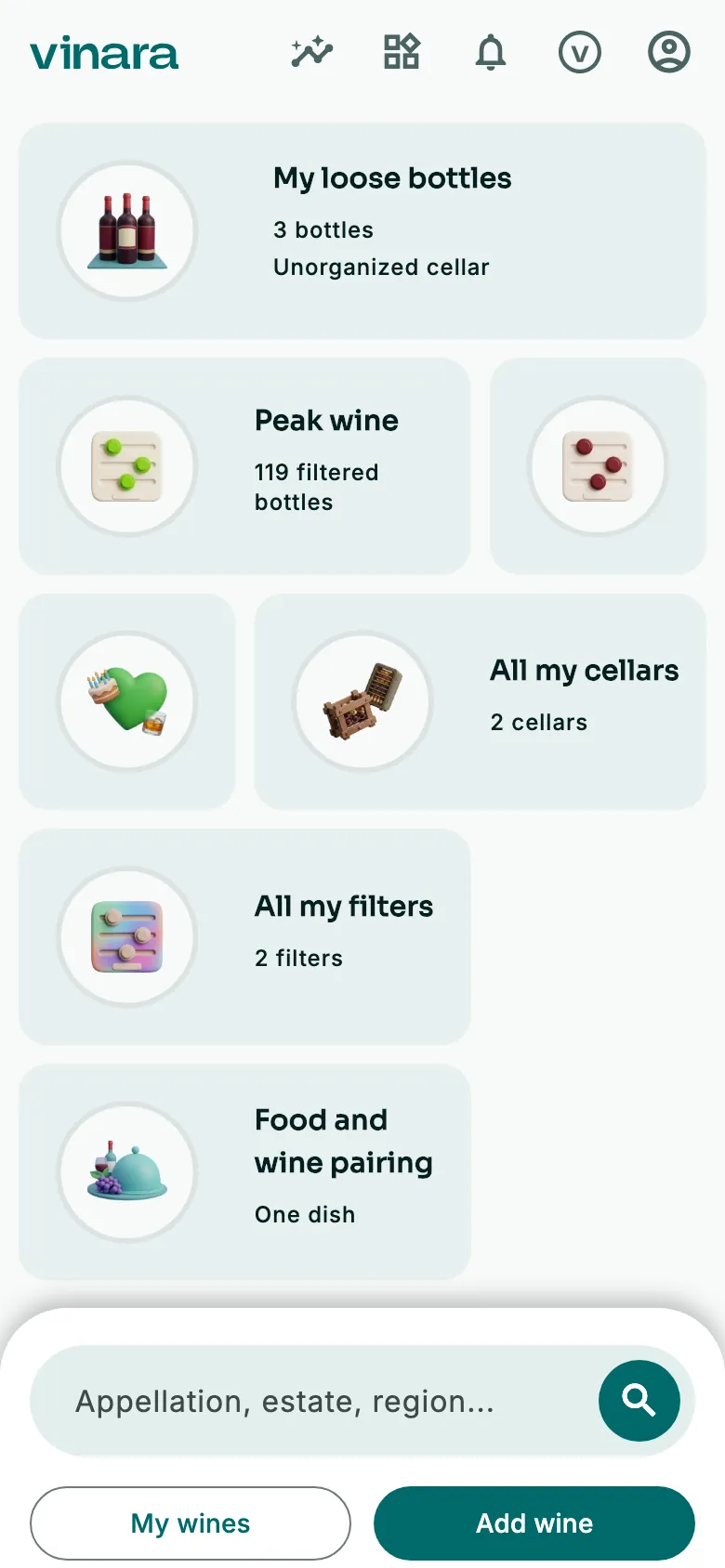
On the Panorama, tap Add wine. The scanner opens.
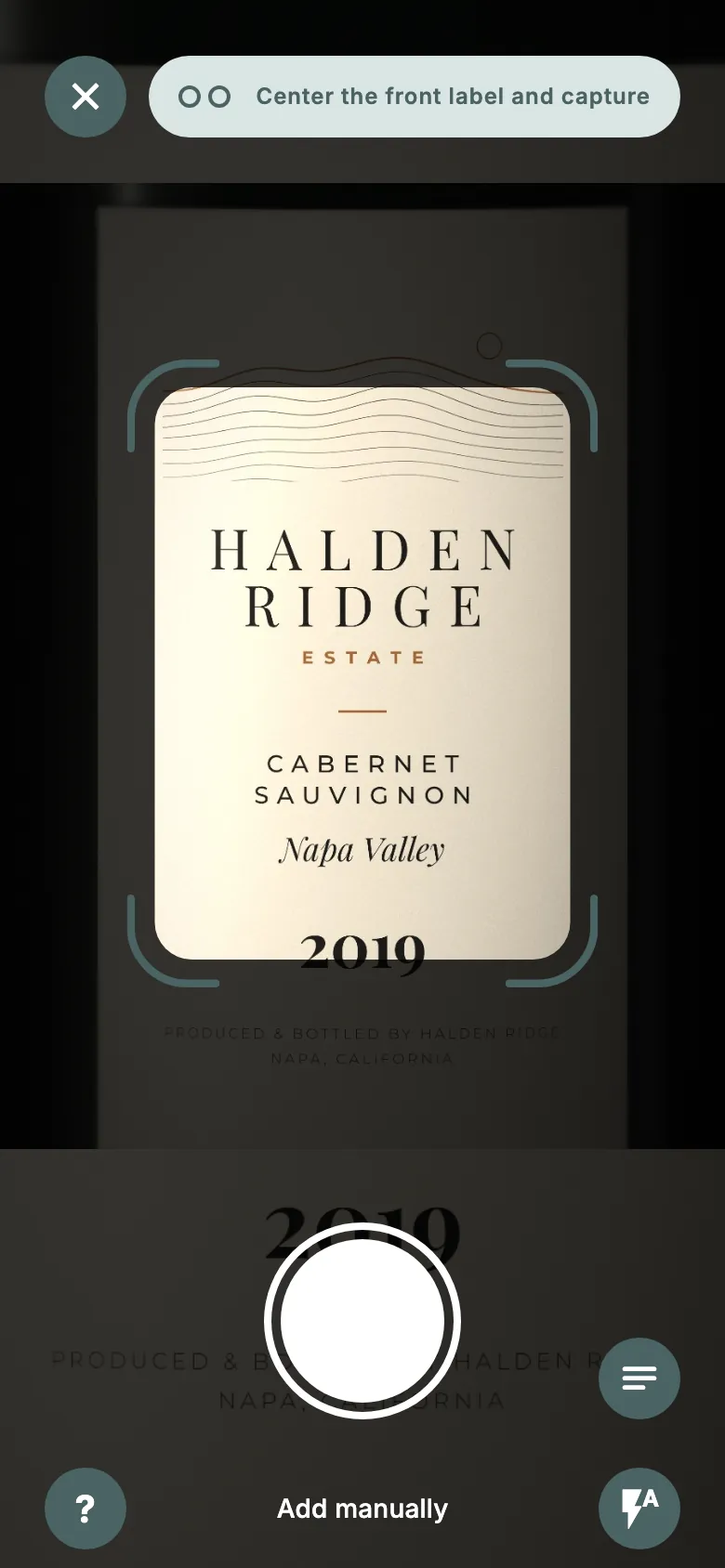
Frame the label, then tap the shutter button. Turn the bottle and do the same with the back label, or tap Ignore back.
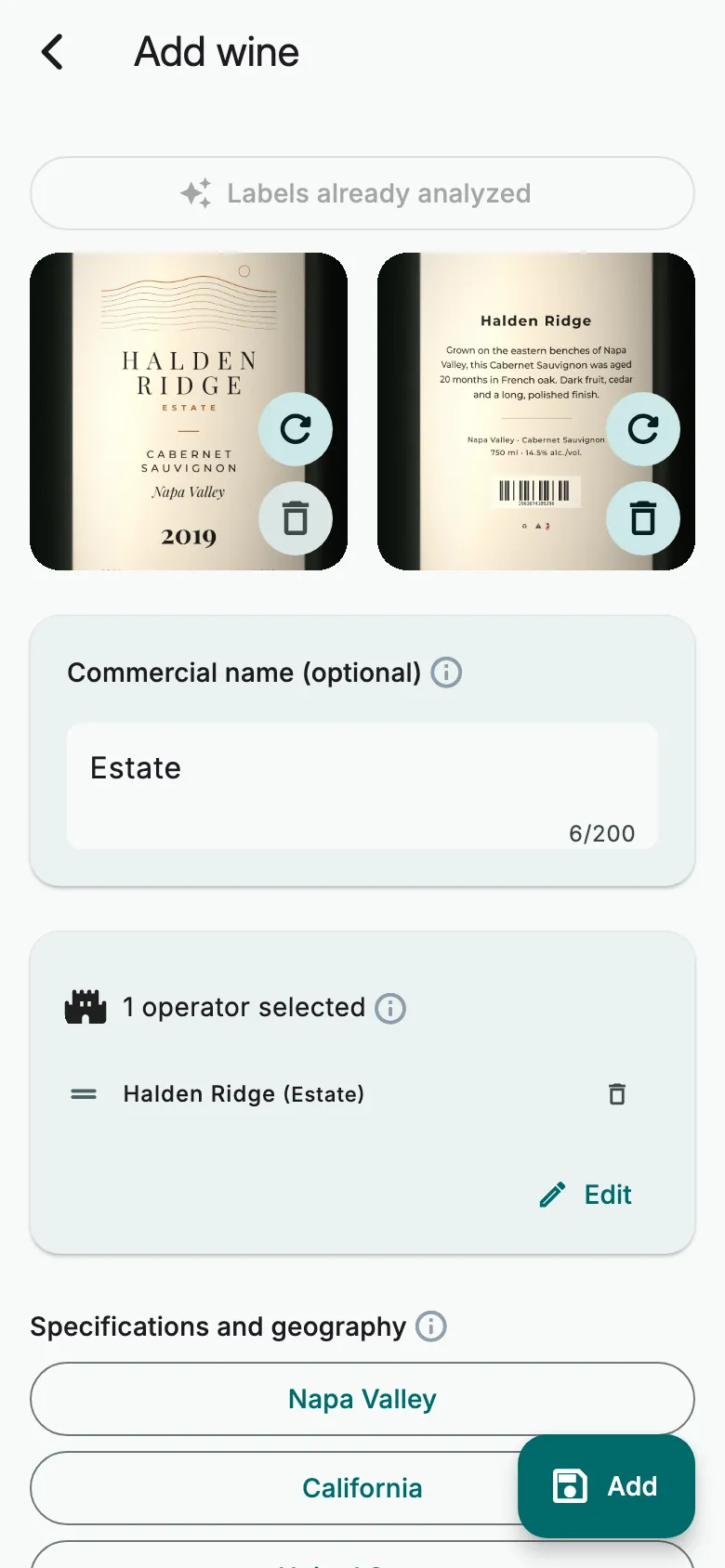
Vinara fills in the sheet from the label. Check it, and complete it if needed.
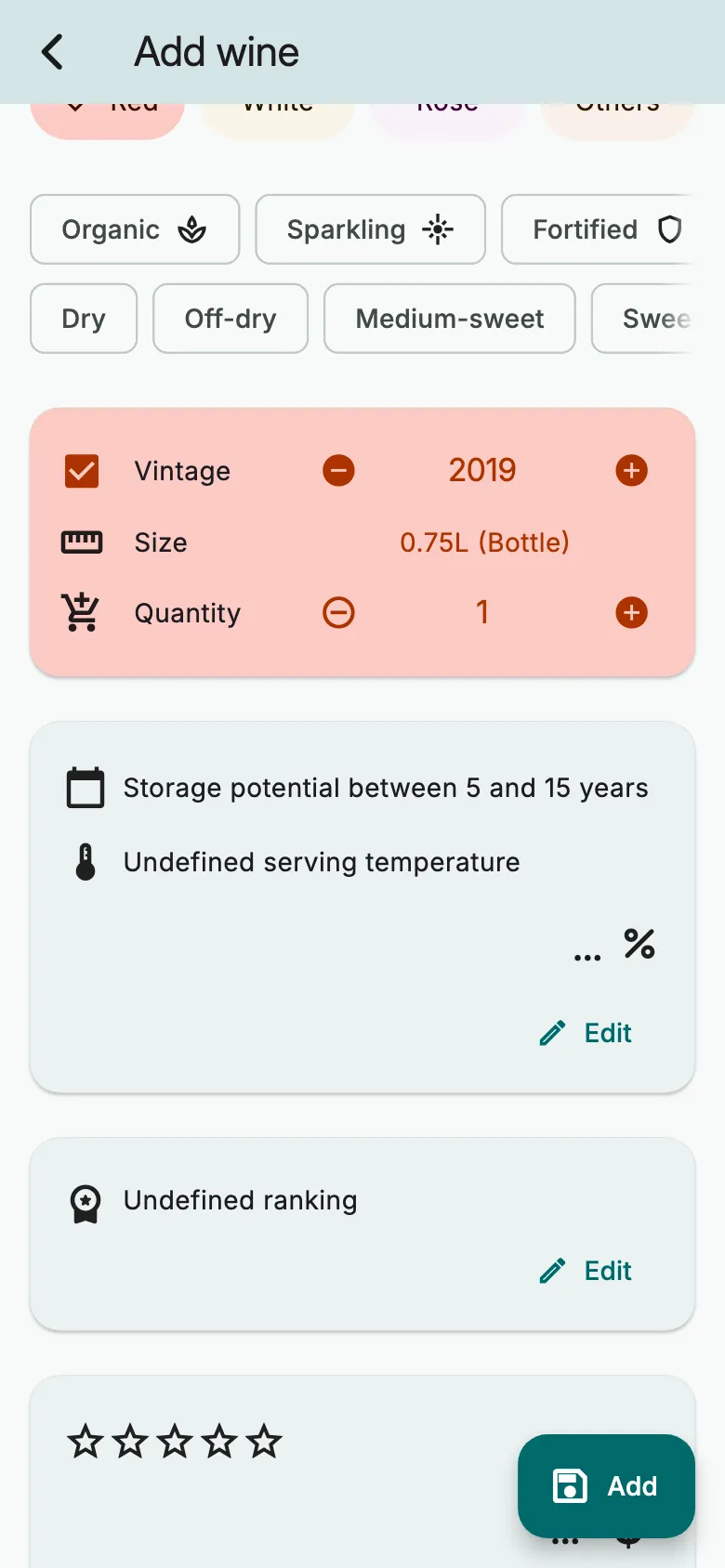
Set the Quantity, the number of bottles. Then tap Add. The bottles arrive loose.
Without the scanner
On the scanner, tap Add manually. On a computer, the form opens directly.
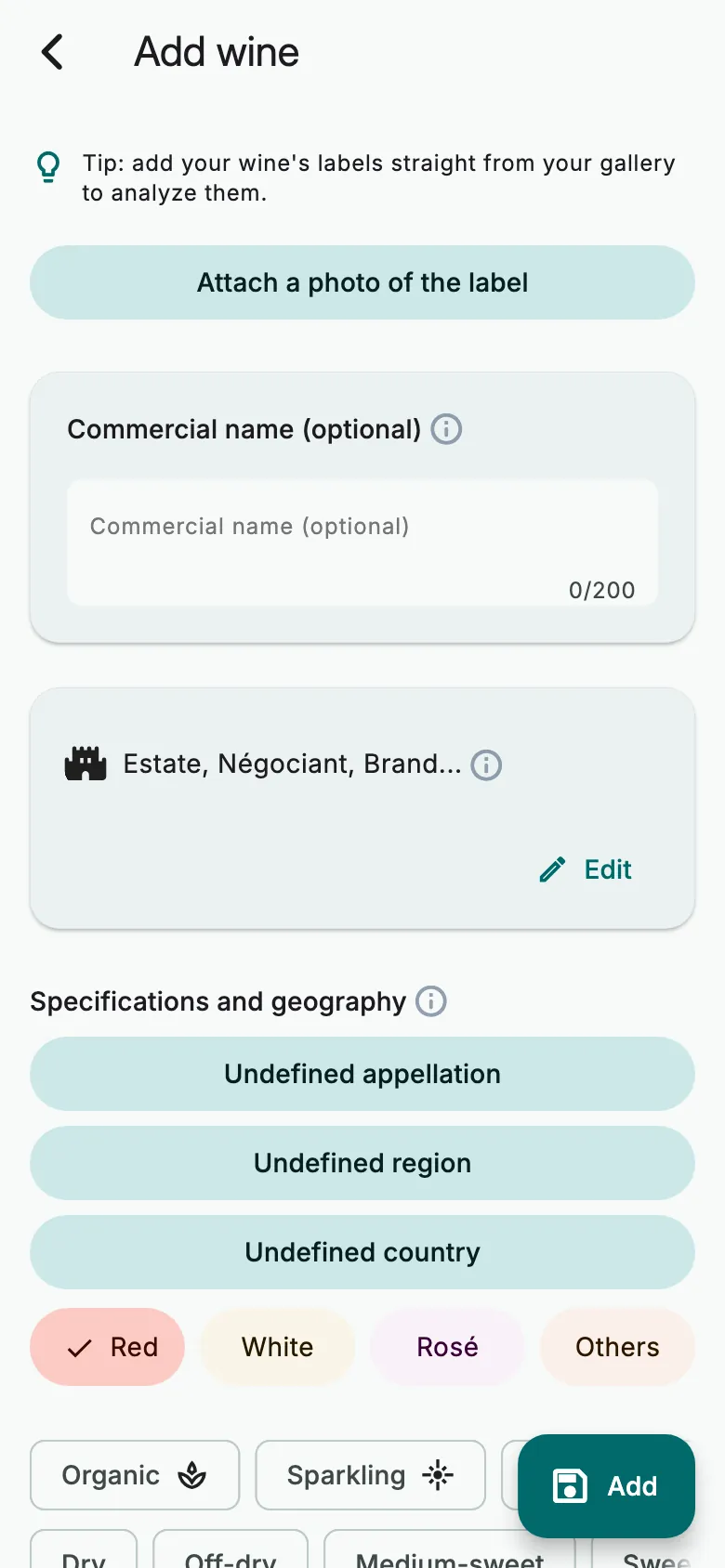
Fill in what you know: no field is required. Set the Quantity, then tap Add.
A wine you already have
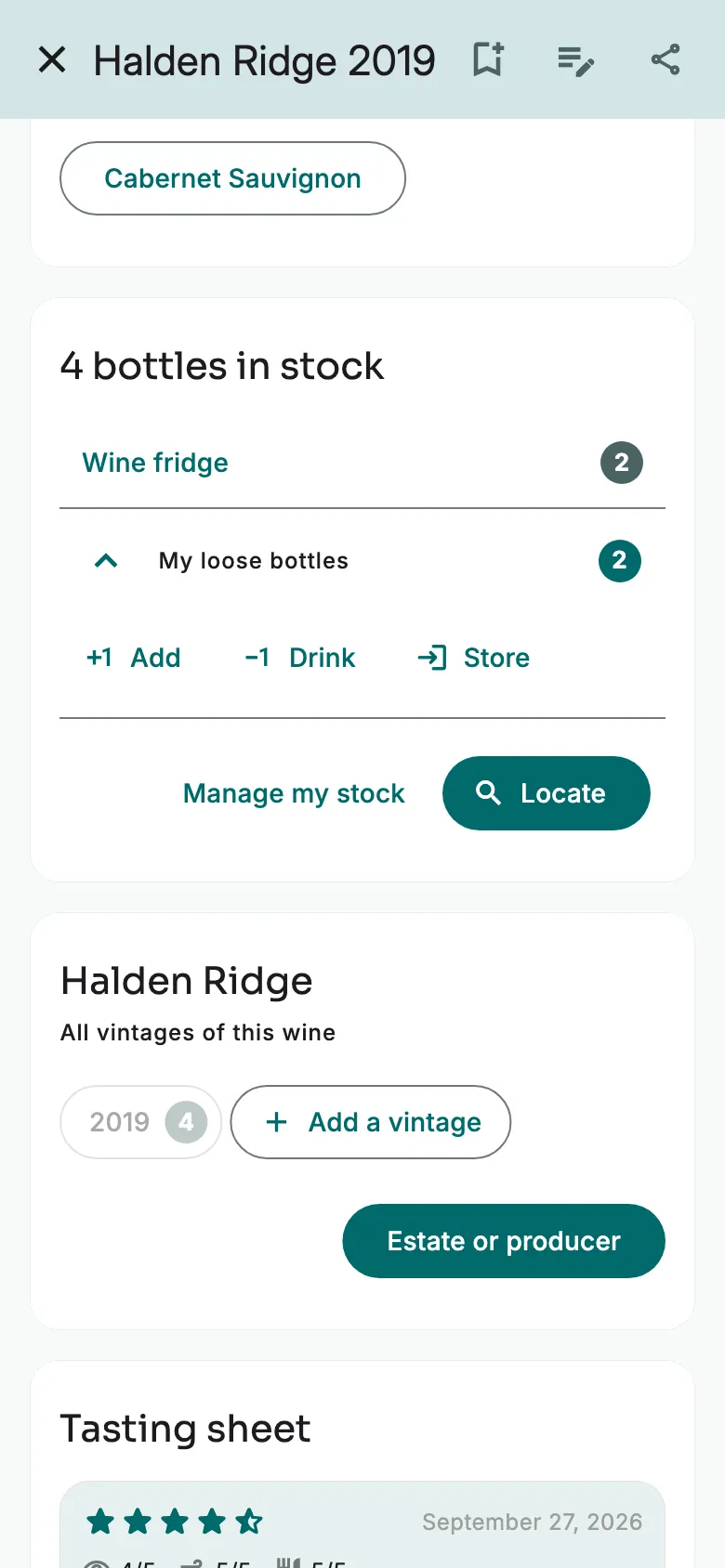
On the wine's sheet, under My loose bottles, tap Add.
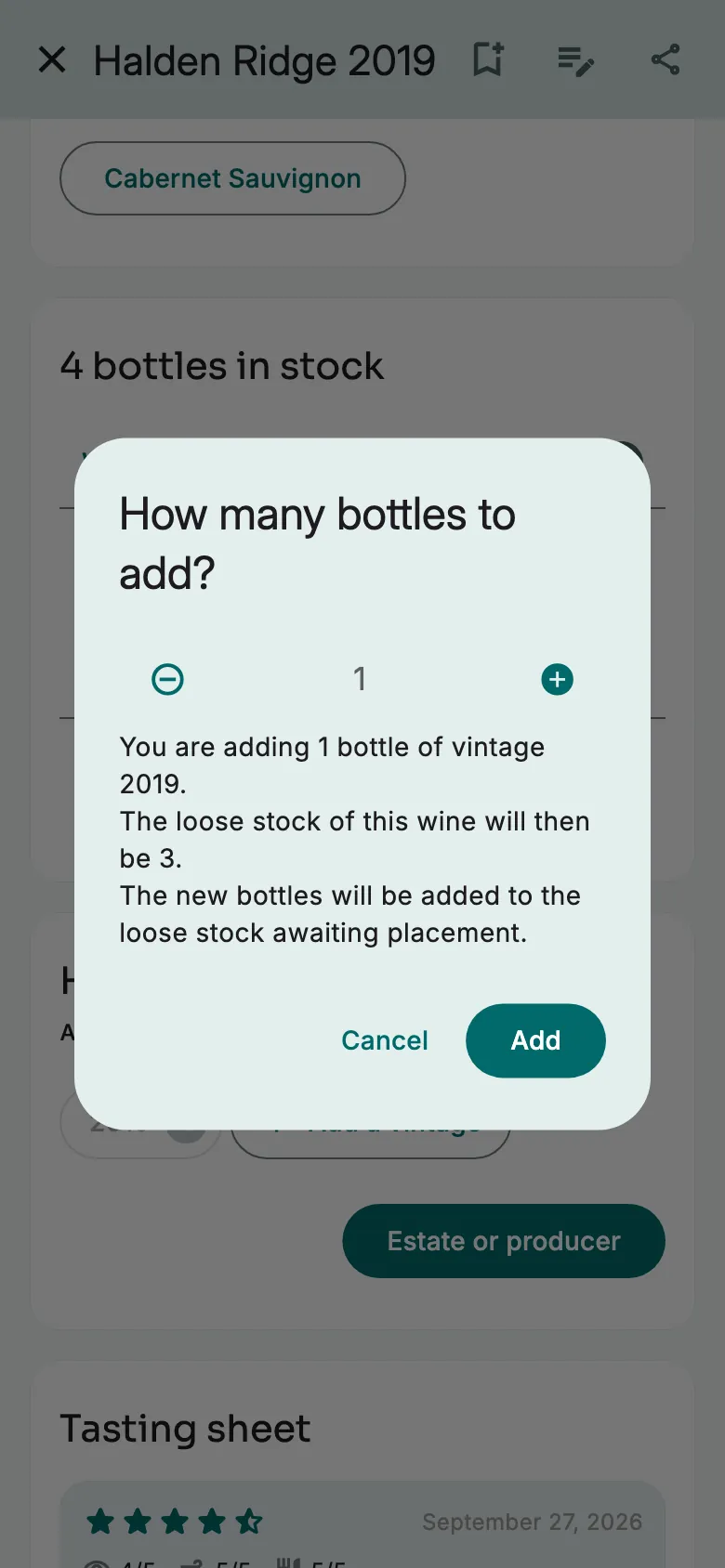
Choose how many bottles. Tap Add. They arrive loose.
Another vintage of the same wine? Tap Add a vintage. The sheet is copied: change the vintage and the quantity, then tap Add.
More guides
Ready to open the right bottle at the right time?
Download Vinara for free and set up your cellar in minutes.

Scan the code with your phone to install the app.