Guide
Drink a bottle
Drinking a bottle removes it from your stock. If it was the last one, Vinara asks whether to keep the wine's sheet: it keeps a history of the wines you drank.
In a graphical cellar
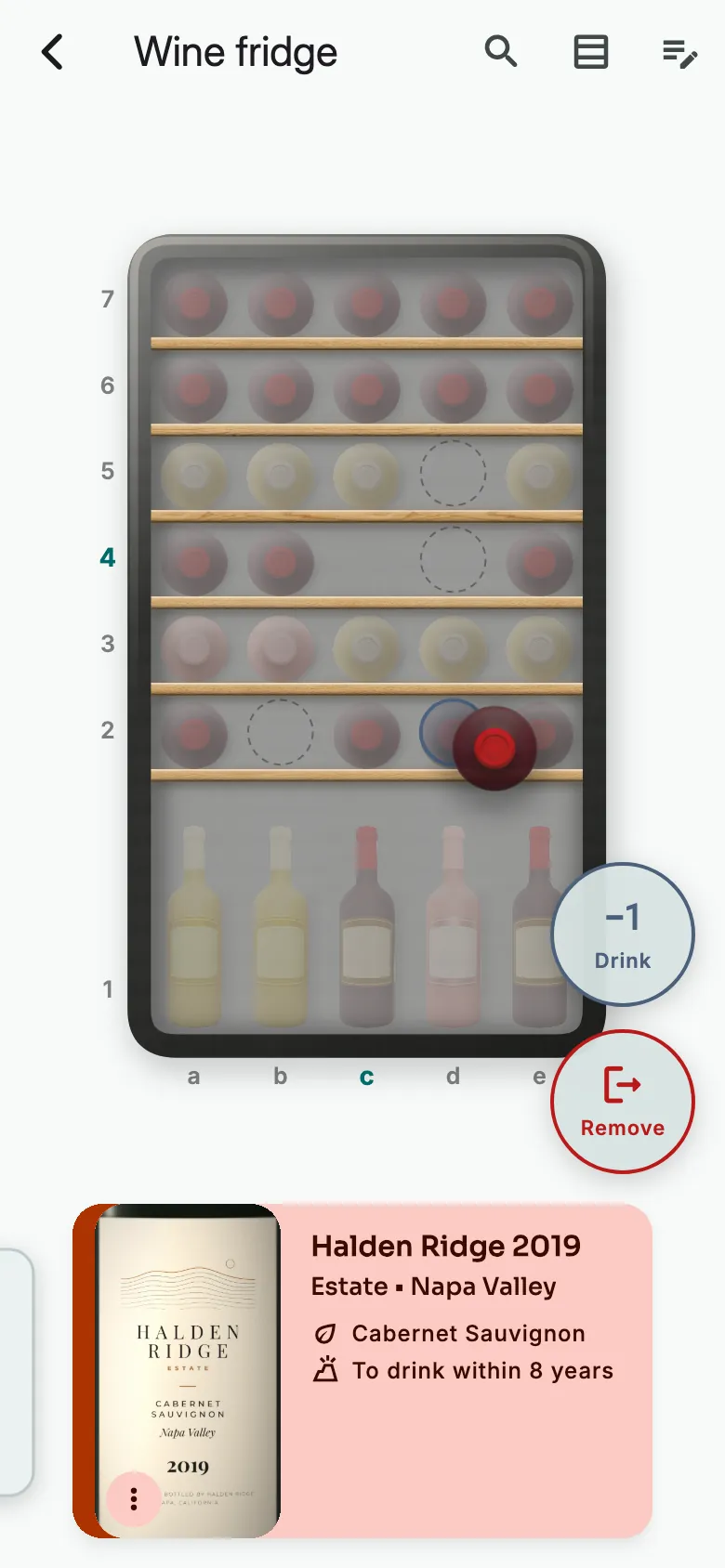
Hold your finger on the bottle until it vibrates. Drag it onto Drink, then let go.
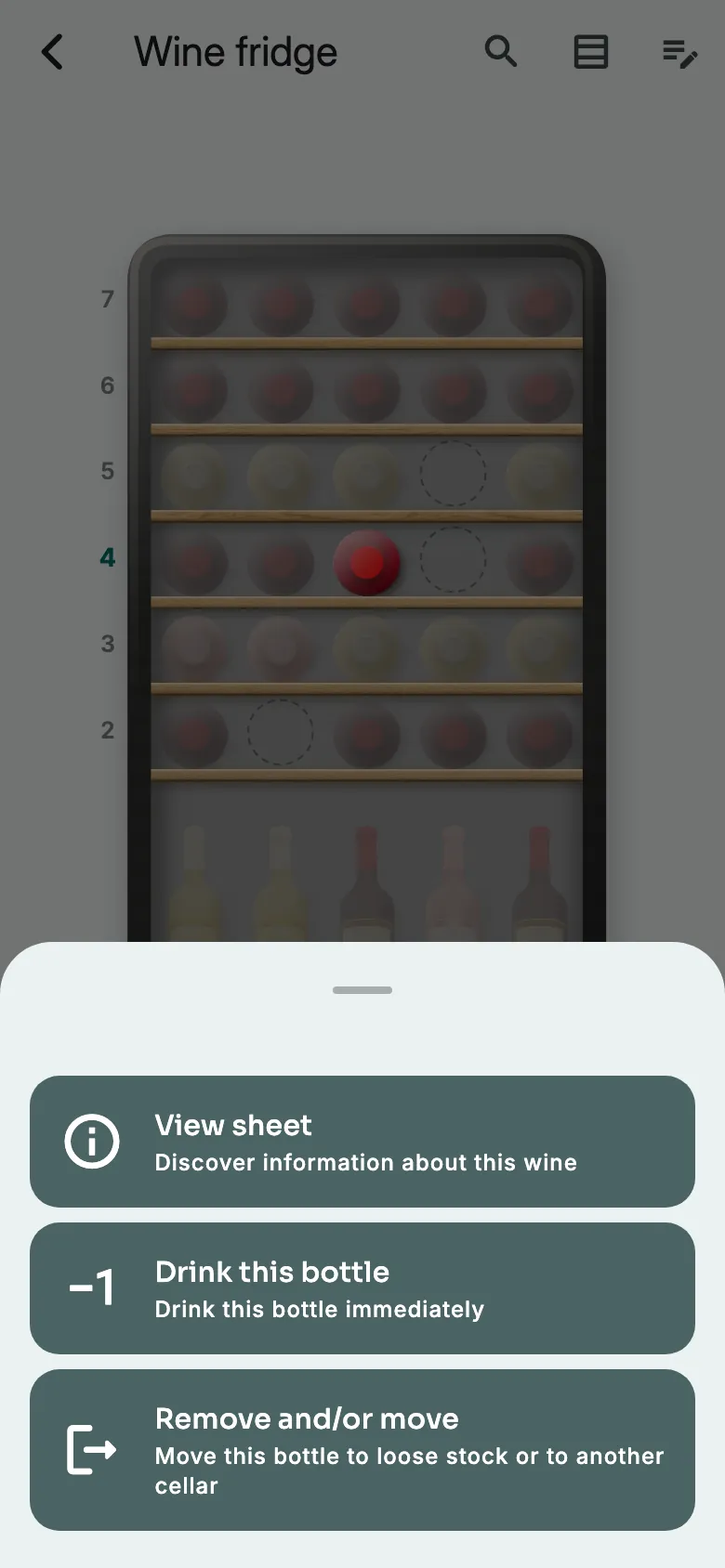
Another way: tap the bottle, hold your finger on its card, then tap Drink this bottle.
In a non-graphical cellar
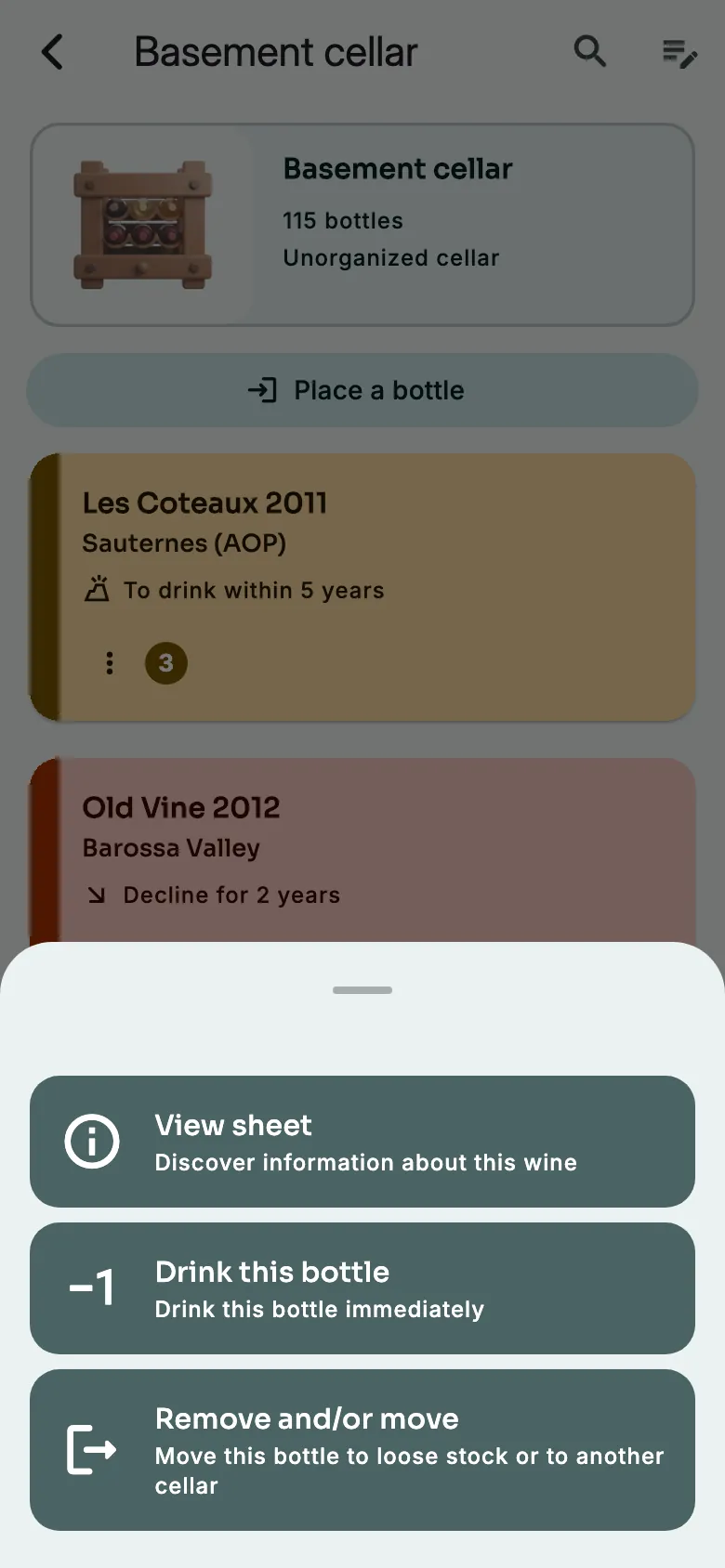
Open the cellar and tap the wine. Then tap Drink this bottle.
A loose bottle
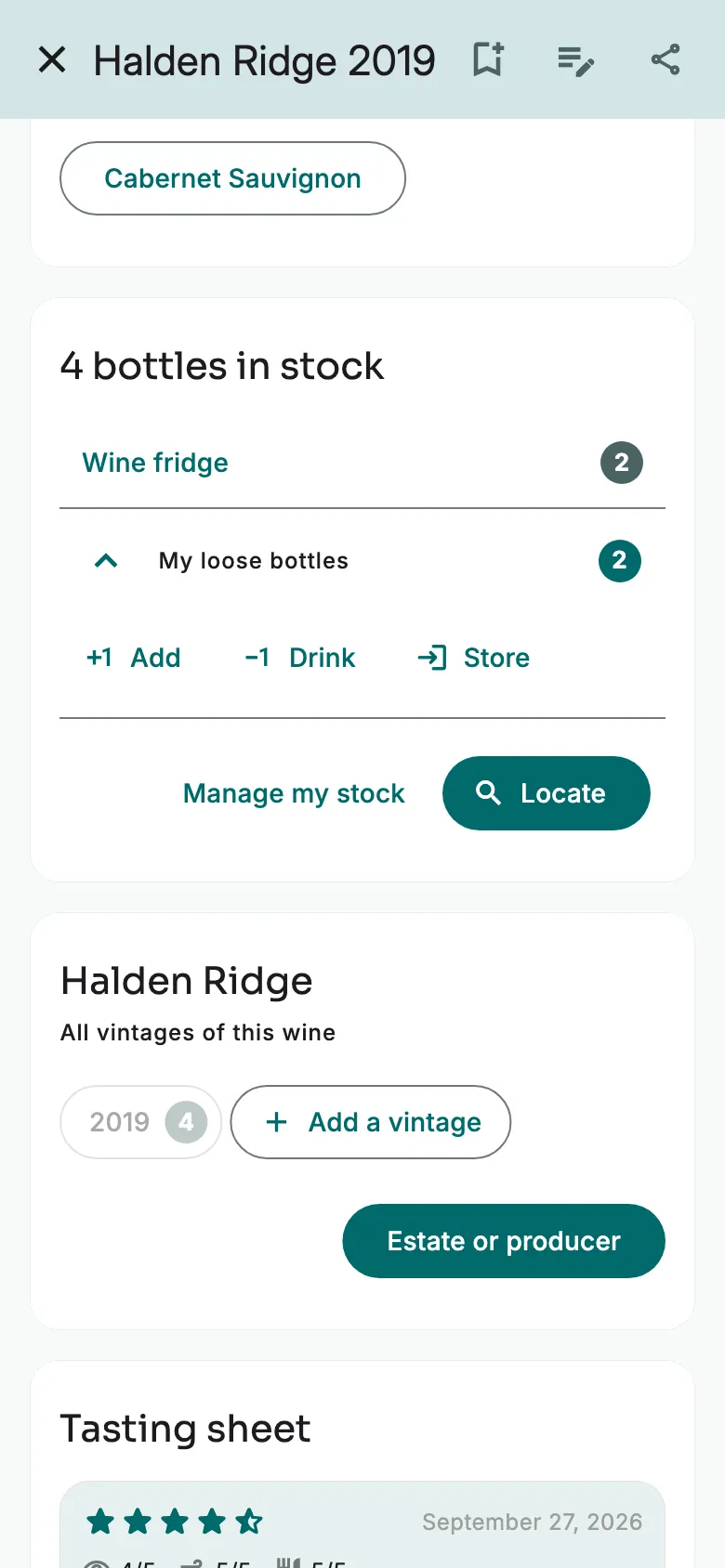
On the wine's sheet, under My loose bottles, tap Drink.
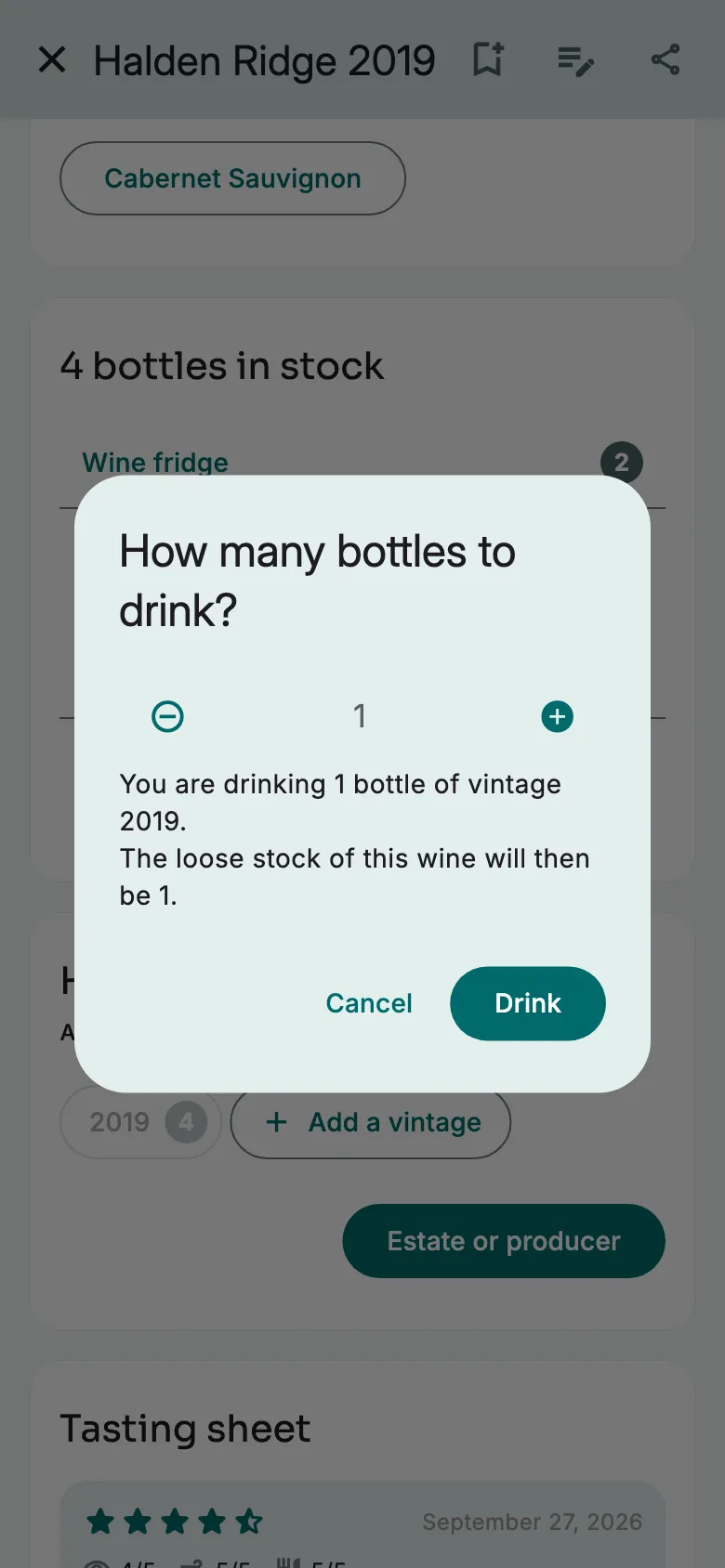
Choose how many bottles. Tap Drink.
More guides
Ready to open the right bottle at the right time?
Download Vinara for free and set up your cellar in minutes.

Scan the code with your phone to install the app.