Guide
Store a bottle
Storing a bottle means giving it a spot in a cellar. Only loose bottles can be stored.
In a graphical cellar
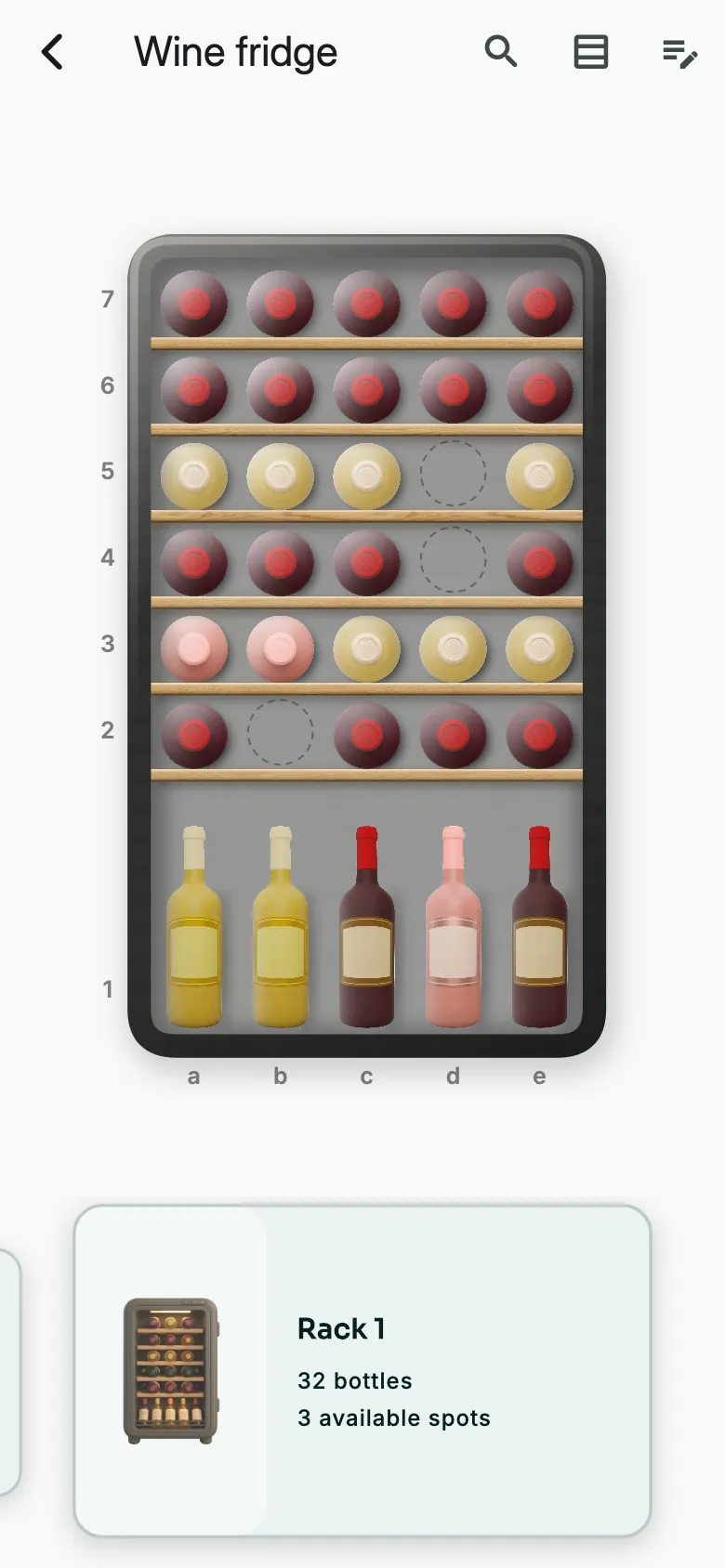
Open the cellar. Tap an empty cell.
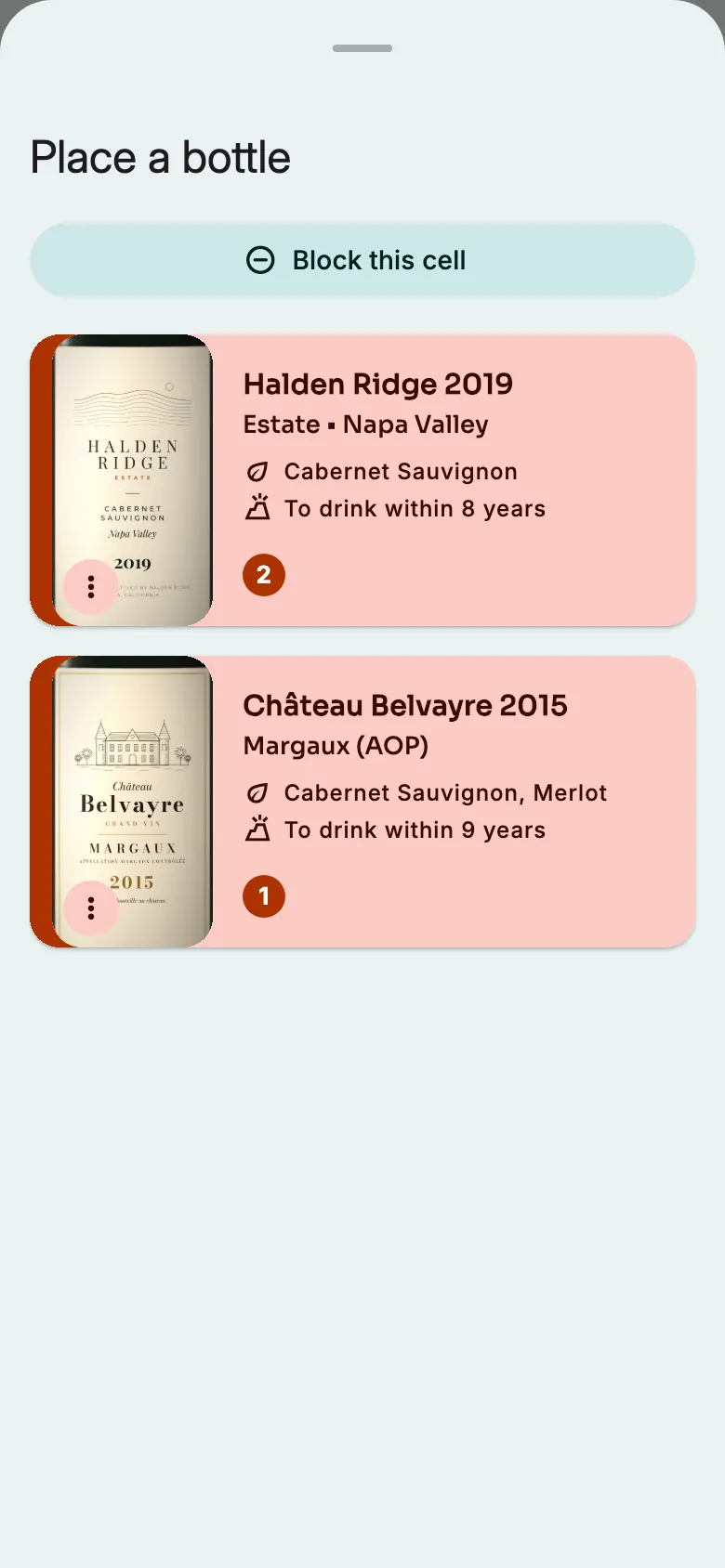
The Place a bottle list shows your loose wines. Tap the one to store.
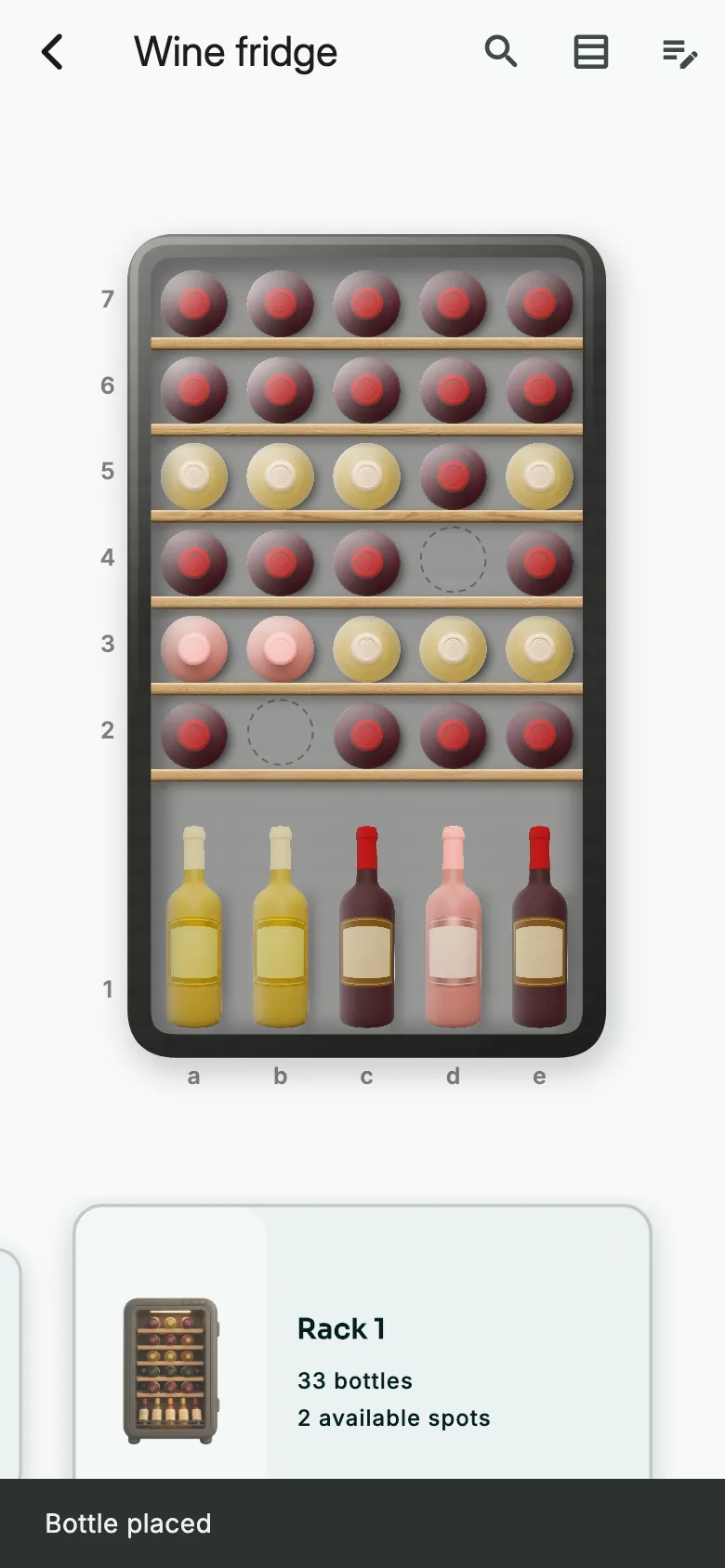
The bottle takes the cell. It is no longer loose.
In a non-graphical cellar
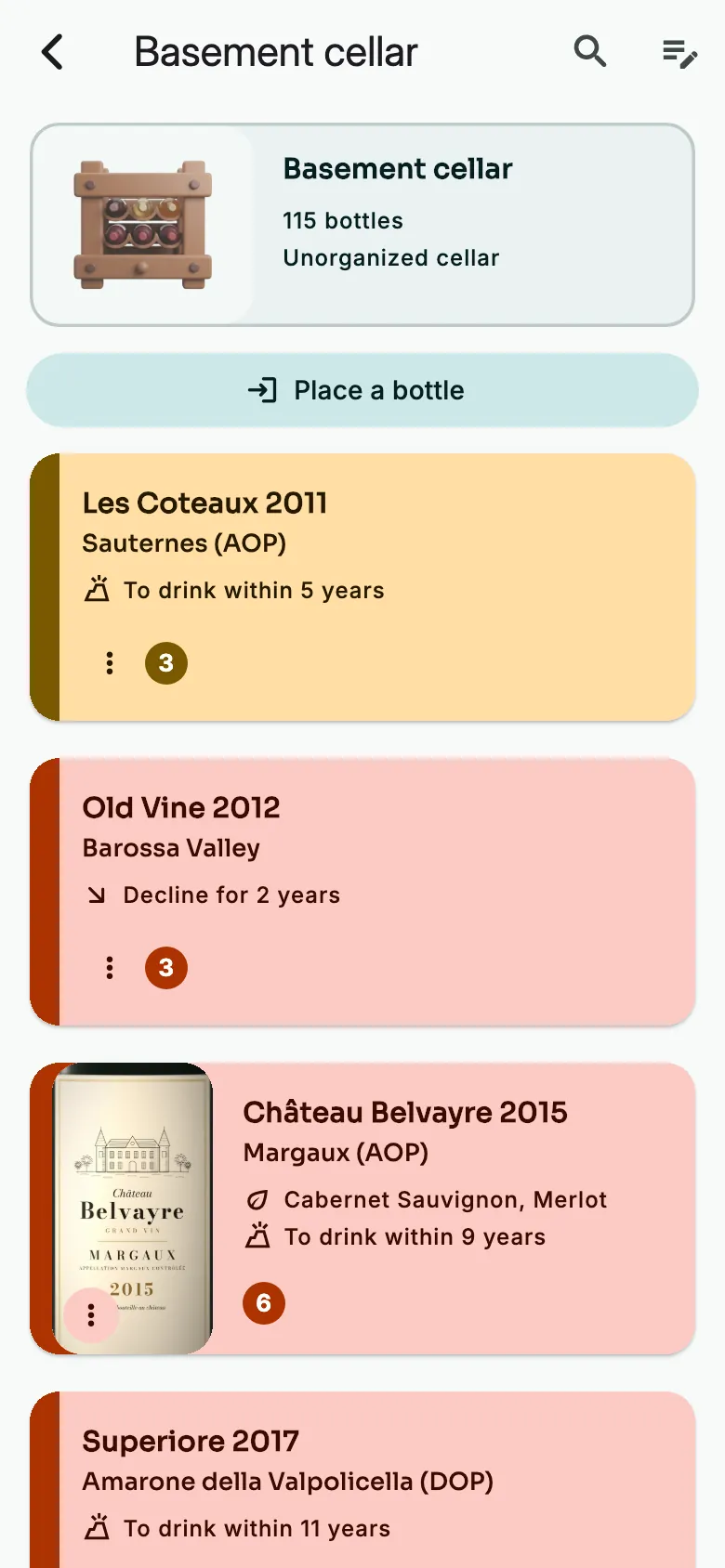
Open the cellar. Tap Place a bottle.
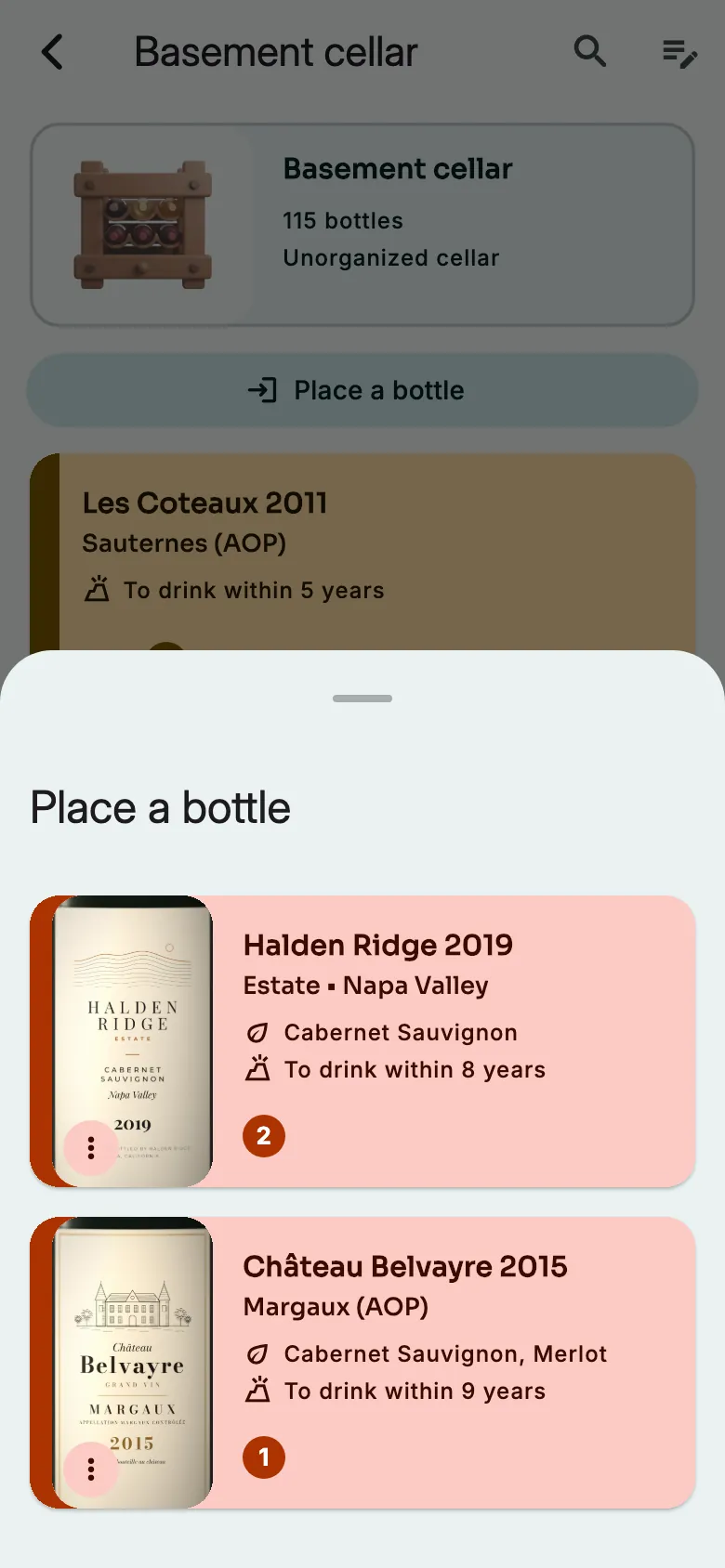
Tap the wine to store. One bottle moves from loose to the cellar.
From the wine's sheet
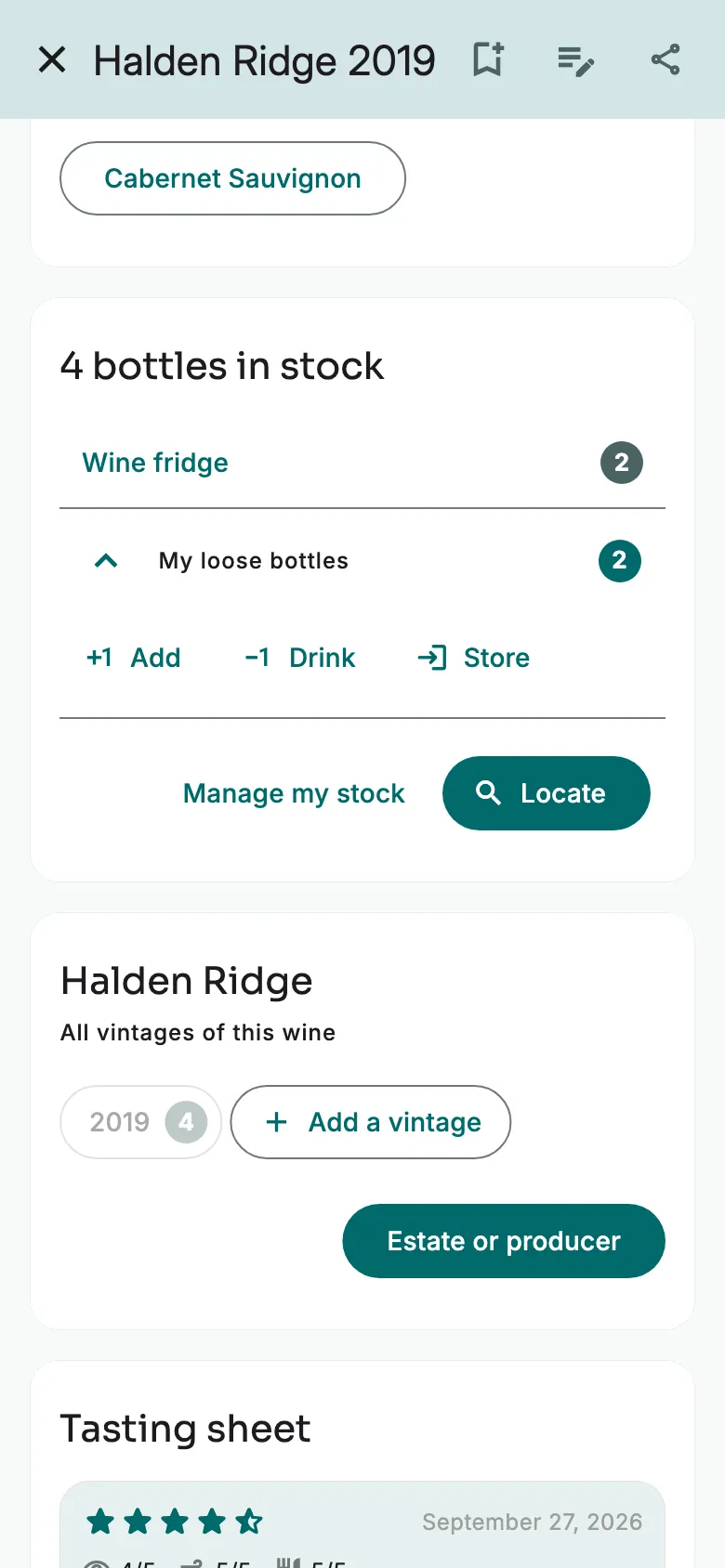
On the wine's sheet, under My loose bottles, tap Store.
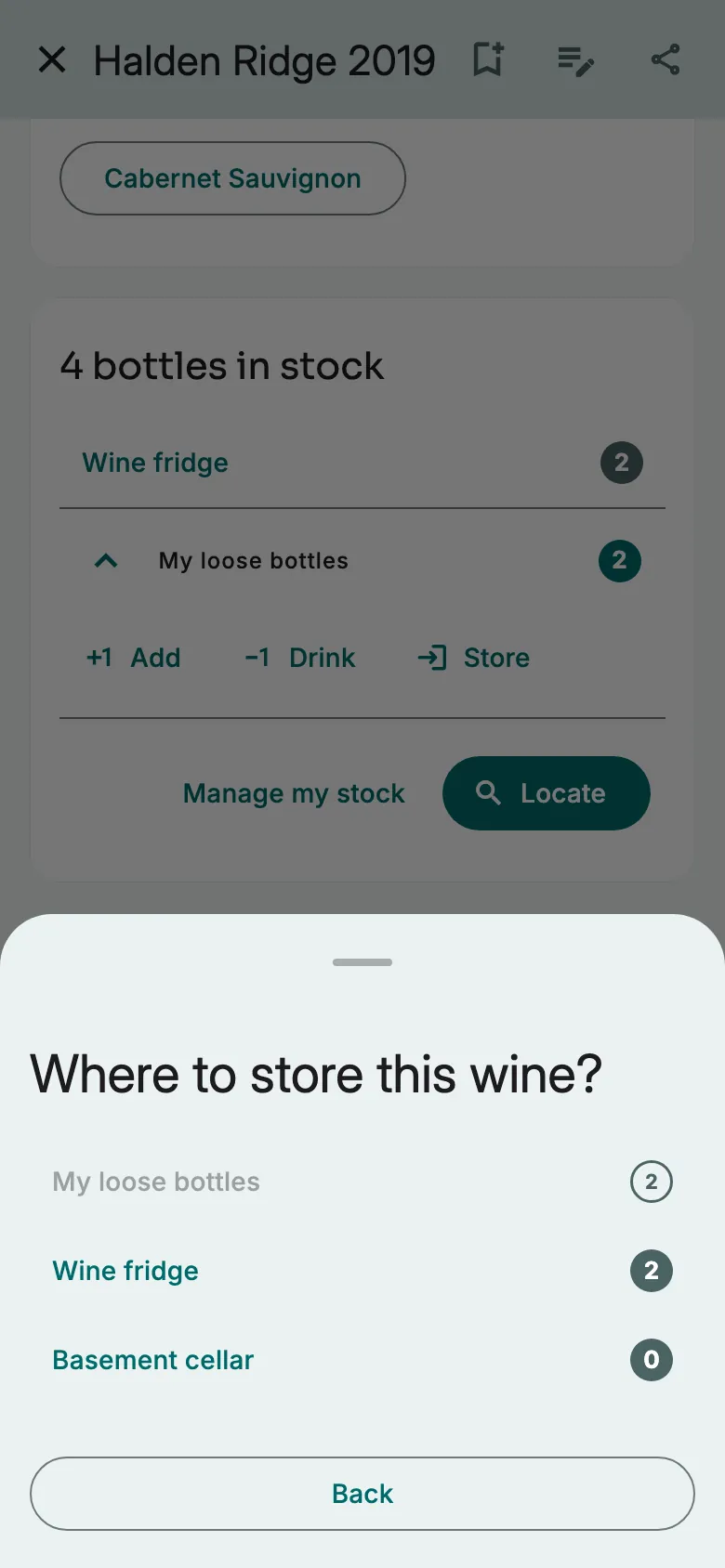
Choose the cellar.
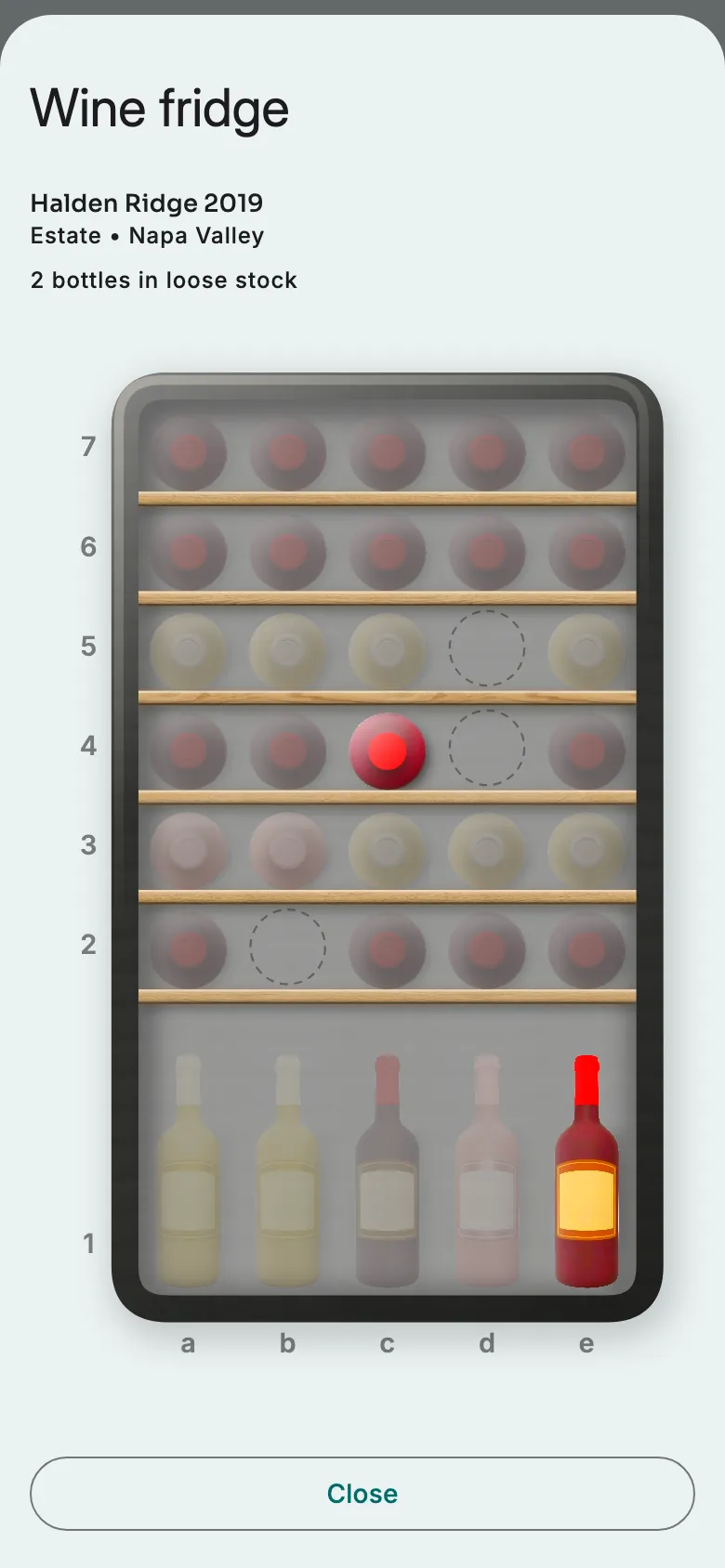
In a graphical cellar, tap an empty cell. One cell per bottle. This wine's bottles stay in colour.
More guides
Ready to open the right bottle at the right time?
Download Vinara for free and set up your cellar in minutes.

Scan the code with your phone to install the app.